Geometry Dash 3D
0
ratings
0
Recommend For You





































How to play Geometry Dash 3D
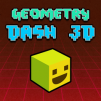
Geometry Dash 3D brings a completely new experience compared to the familiar 2D version. Accordingly, the player will control the cube to rush forward in a challenging three-dimensional space.
- Controls: you just need to press the Space key, left click, or touch the screen to make the character jump and avoid obstacles.
However, the difference lies in the 3D environment increasing the difficulty, because you have to observe not only the horizontal but also the depth of space. Spikes, blocks, jumping platforms and unexpected drops can appear in any position, requiring players to have good reflexes and precise orientation.